Issue No. 39
Meeting transcripts and the desktop app
Transcripts beside every summary, speakers you can rename, a notetaker that joins under your firm's name, and a desktop app for meetings in the room.
We made a lot of updates to the Parachute Notetaker, from the transcript to the bot your clients see on the call.
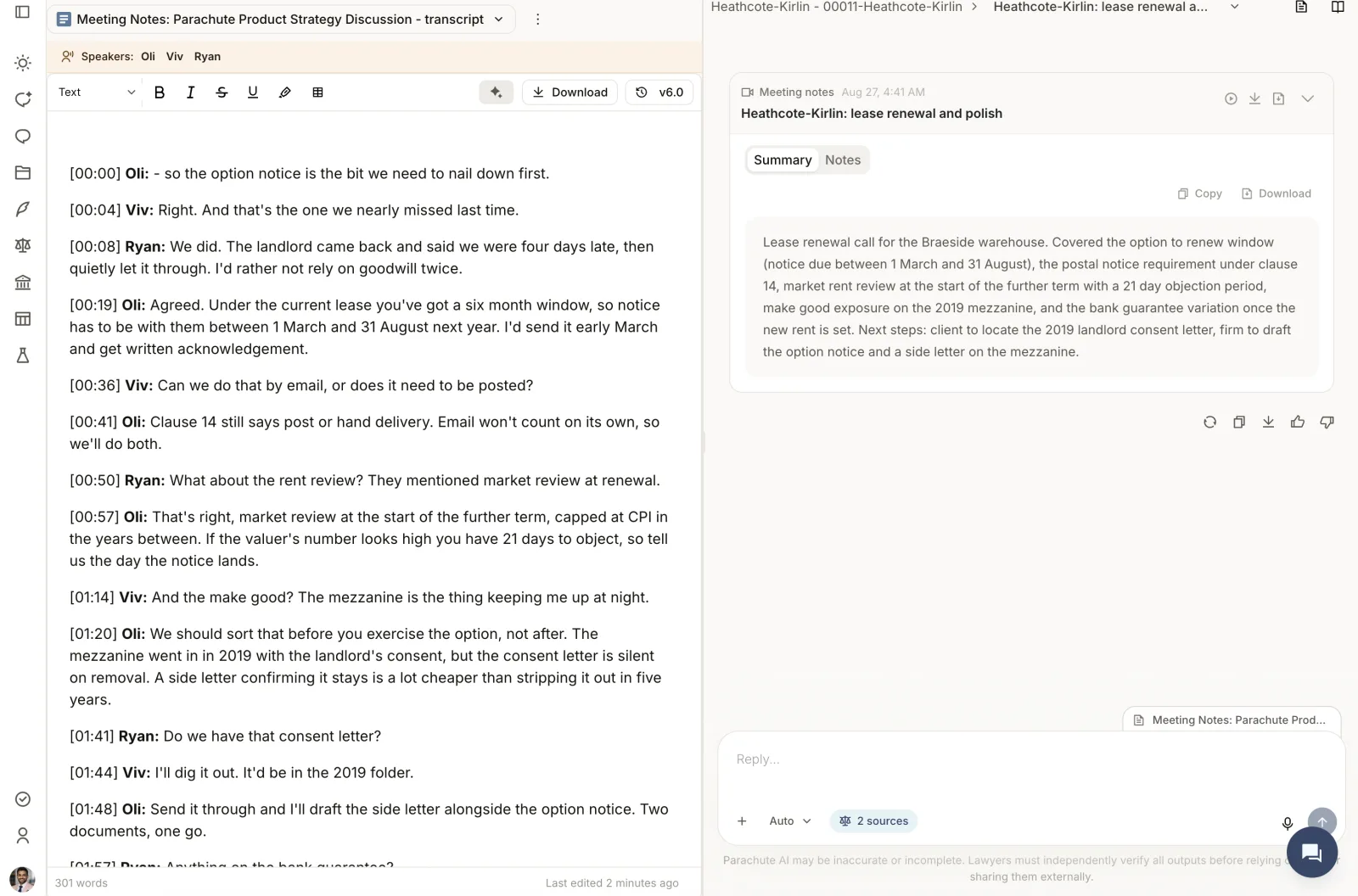
The full transcript, beside the notes
- Every meeting now has its transcript alongside the summary, with speaker labels and audio playback.
- Click a speaker’s name to rename them, and the change applies across the whole transcript.
- Download the notes or the transcript as a Word document, ready for the file.
Your firm, not ours
- The notetaker joins calls under your firm’s name and image, so clients see your firm rather than a third-party tool.
- Transcripts follow your firm’s English, whether that’s Australian, British or American spelling.
Meetings in the room
The Parachute desktop app records in-person meetings. Open it, press record and leave your laptop on the table. Download it from the Notetaker page.
Read more about the notetaker and how to set up the desktop app.